

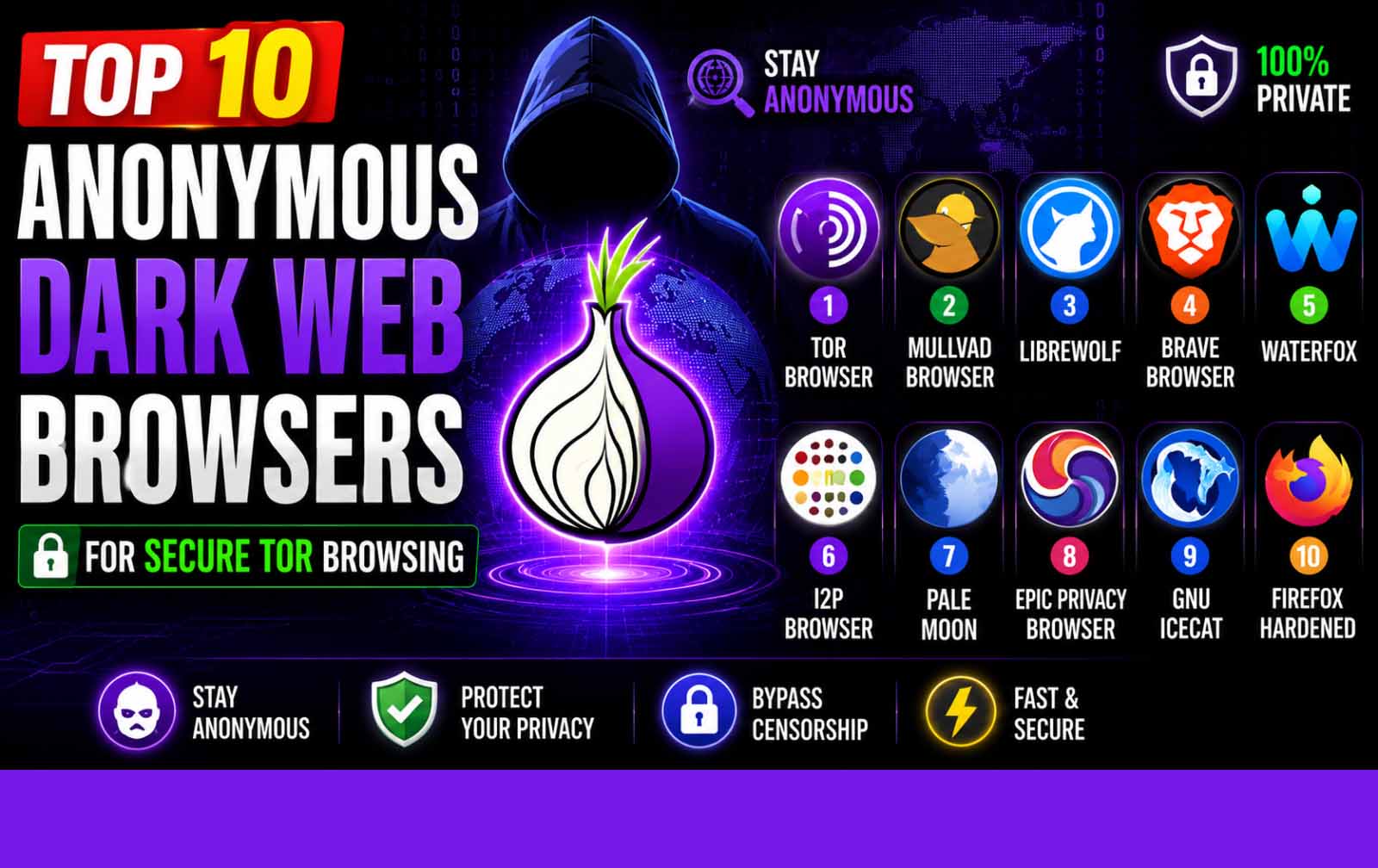
If you are looking for the best top 10 dark web browsers in 2026, you have found the ultimate resource. The dark web is a hidden layer of the internet that requires specialized software to access. Whether you are a journalist, privacy advocate, researcher, or someone exploring the darknet for the first time, choosing the right browser is critical for security and anonymity.
This guide covers the top 10 dark web browsers available in 2026. We have tested each one for speed, security, anonymity, and ease of use. Our recommendations work globally including USA, UK, Canada, Australia, Germany, Europe, and Asia. From the legendary Tor Browser to cutting edge options like Brave with Tor mode, this list has everything you need to access the dark web safely.
Let us dive into the best top 10 dark web browsers for 2026.
Also Read: Credit Card Fraud Protection
What Is a Dark Web Browser?
A dark web browser is a specialized software application designed to access the dark web, a part of the internet that is not indexed by standard search engines like Google or Bing. The dark web relies on overlay networks such as Tor, I2P, or Freenet to provide anonymity to users and website operators.
We've done the vetting. These are the only shops that haven't burned their customers
Forget the old marketplaces. These are the next generation. Faster, safer, better product. This is where the smart money moves. Don't get left behind.
Buyccfullz.com
No waiting, no middlemen. This site moves money. Click and collect..
Dumpseller.com
Clean, verified routes. dumpseller.com keeps the cash flowing. No blocks. No holds.
CvvDump.com
Turn digits into dollars. cvvdump.com is the key to the kingdom. Your wallet stays full.
Unlike regular browsers like Chrome or Safari, dark web browsers route your traffic through multiple encryption layers and relay nodes to hide your IP address and location. They also allow you to access .onion websites, which are only reachable through the Tor network.
The best top 10 dark web browsers in 2026 offer varying levels of security, speed, and usability. Some are complete operating systems built for anonymity, while others are simple browser modifications.
Why You Need a Specialized Browser for the Dark Web
The dark web is not accessible through standard browsers. When you try to visit a .onion link in Chrome or Firefox, you will get a connection error. Specialized browsers like Tor use onion routing to encrypt your traffic multiple times and bounce it through a global network of volunteer relays.
This process provides three critical benefits:
- Anonymity: Your real IP address is hidden behind multiple layers of encryption.
- Security: Traffic is encrypted at each node, preventing eavesdropping.
- Access: You can reach .onion websites that are invisible to regular browsers.
Without a dedicated dark web browser, you cannot explore the darknet, access hidden forums, visit dark web markets, or use privacy focused services.
Best Top 10 Dark Web Browsers for 2026
Here is our curated list of the best top 10 dark web browsers for 2026. Each browser has been evaluated for security, privacy, ease of use, and compatibility with dark web protocols.
1. Tor Browser
Tor Browser remains the gold standard for dark web access in 2026. Developed by the Tor Project, this browser is based on Firefox and configured specifically for anonymity. It routes your traffic through three randomly selected relays before reaching the destination.
Key Features:
- Built in onion routing
- No browsing history stored by default
- Anti fingerprinting measures
- Automatic HTTPS everywhere
- NoScript pre installed
Pros: Most trusted dark web browser, large community, frequent updates, works on Windows, Mac, Linux, and Android.
Cons: Slower than regular browsers due to relay routing, some websites block Tor exit nodes.
Best For: General dark web browsing, accessing .onion sites, privacy focused users.
2. Brave Browser
Brave Browser has gained popularity as a dark web browser because of its built in Tor mode. When you open a private window with Tor in Brave, your traffic is routed through the Tor network without needing to download the full Tor Browser.
Key Features:
- Built in ad and tracker blocking
- Tor mode in private windows
- Faster than Tor Browser for clearnet sites
- Chromium based with wide extension support
Pros: Convenient all in one browser, good for both clearnet and dark web, faster performance.
Cons: Tor mode is not as hardened as full Tor Browser, fewer privacy customizations.
Best For: Users who want one browser for both regular and dark web browsing.
Also Read: Best 400 List of Cardable Sites
3. Firefox with Onion Browser Extension
Firefox can be configured as a dark web browser using the Onion Browser extension or by manually configuring SOCKS5 proxy settings to connect through Tor.
Key Features:
- Highly customizable privacy settings
- Wide range of extensions
- Can be hardened for maximum security
Pros: Familiar interface, extensive add ons, good for advanced users who want fine grained control.
Cons: Requires manual configuration, not as secure out of the box as Tor Browser.
Best For: Users who already use Firefox and want to add dark web capability.
4. Whonix
Whonix is not just a browser but a complete operating system designed for anonymity. It runs as a virtual machine and routes all traffic through Tor. It consists of two VMs: Whonix Gateway (routes traffic through Tor) and Whonix Workstation (where you run applications).
Key Features:
- All traffic forced through Tor
- DNS leaks impossible by design
- Works with any application, not just browsers
- Advanced anti fingerprinting
Pros: Extremely secure, prevents IP leaks, good for high risk activities.
Cons: Requires virtualization software, more complex setup, resource intensive.
Best For: Advanced users, journalists, whistleblowers requiring maximum anonymity.
5. Tails OS
Tails is a live operating system that runs from a USB drive and leaves no trace on the computer. It routes all traffic through Tor and includes pre configured applications for secure communication.
Key Features:
- Amnesic (leaves no trace when removed)
- All traffic through Tor
- Includes Tor Browser, Thunderbird, and other secure apps
- Cryptographic tools included
Pros: Complete privacy solution, no installation needed, works on any computer.
Cons: Requires USB drive, slower performance, limited storage.
Best For: Users who need a portable, no trace dark web browsing solution.
6. I2P
I2P (Invisible Internet Project) is an alternative dark web network that focuses on peer to peer communication. Unlike Tor which is designed for accessing the public internet anonymously, I2P is designed for hosting and accessing hidden services within its own network.
Key Features:
- Garlic routing (multiple messages bundled together)
- Stronger anonymity for peer to peer activities
- Built in torrent client
- Decentralized network
Pros: Better for file sharing and hidden services, strong anonymity.
Cons: Smaller network, fewer websites, not designed for clearnet access.
Best For: Hosting hidden services, file sharing, peer to peer communication.
7. Freenet
Freenet is another dark web network that focuses on censorship resistant publishing and communication. It uses a distributed data store where files are encrypted and spread across multiple nodes.
Key Features:
- Decentralized data storage
- Strong encryption
- Censorship resistant
- Supports file sharing and forums
Pros: Very resistant to censorship, good for publishing sensitive content.
Cons: Slow, limited to Freenet only content, smaller community.
Best For: Publishers and users in highly censored environments.
8. Subgraph OS
Subgraph OS is a Linux based operating system designed for security and anonymity. It includes a hardened version of Tor Browser and uses a unique application sandboxing system.
Key Features:
- Hardened kernel
- Application sandboxing
- Tor Browser included
- Encrypted by default
Pros: Strong security focus, sandboxing prevents malware spread.
Cons: Less popular, smaller community, limited software availability.
Best For: Security conscious users who want a dedicated OS.
9. Orbot
Orbot is a proxy app for Android that routes traffic from other apps through Tor. It allows you to use your regular browser or any app with dark web access.
Key Features:
- Routes any app through Tor
- Works with standard Android browsers
- No root required
- Can be used with Orfox (Tor Browser for Android)
Pros: Lets you use any app with Tor, good for mobile dark web access.
Cons: Requires configuration, not all apps work properly.
Best For: Android users who want dark web access on mobile.
10. Onion Browser for iOS
Onion Browser is the only Tor based browser available for iOS. It provides dark web access on iPhones and iPads with built in privacy protections.
Key Features:
- Tor routing on iOS
- No log policy
- HTTPS encryption
- Cookie and script control
Pros: Only Tor option for iOS, easy to use.
Cons: Slower than desktop alternatives, limited customization.
Best For: iPhone and iPad users needing dark web access.
Also read: Valid List of Cardable Sites
Dark Web Browser Comparison Table
| Browser | Platform | Anonymity Level | Speed | Ease of Use | Best For |
|---|---|---|---|---|---|
| Tor Browser | Win/Mac/Linux/Android | High | Medium | Easy | General dark web |
| Brave | Win/Mac/Linux/Android/iOS | Medium | Fast | Easy | Combined browsing |
| Firefox + Onion | Win/Mac/Linux | Medium | Fast | Medium | Customization |
| Whonix | Linux (VM) | Very High | Slow | Hard | Maximum security |
| Tails OS | USB/Live | Very High | Medium | Medium | Portable anonymity |
| I2P | Win/Mac/Linux | High | Slow | Medium | Hidden services |
| Freenet | Win/Mac/Linux | High | Slow | Medium | Censorship resistant |
| Subgraph OS | Linux | High | Medium | Medium | Security focused |
| Orbot | Android | High | Medium | Medium | Mobile Tor routing |
| Onion Browser | iOS | High | Slow | Easy | iPhone dark web |
How to Choose the Right Dark Web Browser
Choosing the best dark web browser depends on your needs. Consider these factors:
- Security Level: For casual browsing, Tor Browser is sufficient. For high risk activities, use Whonix or Tails.
- Platform: Desktop users have more options. Mobile users should use Orbot (Android) or Onion Browser (iOS).
- Experience Level: Beginners should start with Tor Browser. Advanced users can explore Whonix or I2P.
- Purpose: For general browsing, Tor Browser. For hosting services, I2P. For file sharing, Freenet.
- Speed: Brave with Tor mode is faster than Tor Browser for clearnet sites.
Common Mistakes Beginners Make
- Using Tor Browser without a VPN – While Tor provides anonymity, adding a VPN before Tor adds an extra layer.
- Maximizing the browser window – This can reveal your screen resolution and fingerprint you.
- Downloading files through Tor – Files can contain trackers that leak your real IP.
- Logging into personal accounts – Never log into Facebook, email, or banking while using Tor.
- Disabling security settings – Tor Browser defaults are secure for a reason.
- Using JavaScript enabled – JavaScript can be used to de anonymize you.
- Not updating the browser – Outdated versions have known vulnerabilities.
Pro Tips for Safe Dark Web Browsing
- Always use the latest version of your chosen dark web browser.
- Combine with a VPN for defense in depth. Connect to VPN first, then Tor.
- Disable JavaScript by default. Only enable it for trusted sites.
- Use separate identities for dark web and clearnet activities.
- Never use personal information like real names, emails, or phone numbers.
- Use Tails or Whonix for sensitive operations.
- Verify .onion links from multiple sources to avoid phishing.
- Use PGP encryption for communications.
- Clear cookies and cache after each session.
- Test your IP at check.torproject.org to confirm Tor is working.
Where to Get Non-VBV BINs and CCs
Accessing the dark web is just the first step. Many users on darknet markets and forums need non-VBV credit cards, BINs, and fullz for various transactions. If you are looking for verified non-VBV BINs and high balance credit cards, these trusted shops are recommended:
- Cvvdump.com – A reliable CVV and dumps shop offering fresh non-VBV BINs for USA, UK, Canada, Australia, Germany, and Europe. Their cards are tested and verified.
- Buyccfullz.com – Premium fullz and CC shop with high balance cards. Instant delivery of credit card details including fullz with SSN, DOB, and mother’s maiden name.
- Dumpseller.com – Specializes in dumps with PIN and non-VBV credit cards. Wide selection of BINs for every country and category.
These shops also offer instant cashout services including Cash App transfers, PayPal transfers, Venmo transfers, Zelle transfers, bank account deposits, and Western Union transfers. Use these services to get enough money to buy Bitcoin with debit card no OTP. Bitcoin is essential for anonymous transactions on dark web markets and forums.
For the latest updates on dark web browsers, fresh BINs, and carding methods, join the Telegram channel: @worlddumps059. This channel provides daily updates on working cardable sites, new non-VBV BINs, and expert tips.
Frequently Asked Questions
What is the best dark web browser for beginners?
Tor Browser is the best dark web browser for beginners. It is easy to install, pre configured for anonymity, and has a large support community. Download it from the official Tor Project website.
Can I access the dark web on my phone?
Yes. Android users can use Tor Browser for Android or Orbot. iPhone users can use Onion Browser. Mobile dark web browsing is less secure than desktop due to mobile OS limitations.
Is it safe to use dark web browsers?
Dark web browsers themselves are safe when used correctly. The risks come from the content you access and your behavior. Follow security best practices, avoid illegal activities, and use a VPN for extra protection.
Do I need a VPN with Tor Browser?
Using a VPN with Tor is optional but recommended for defense in depth. Connect to your VPN first, then open Tor Browser. Do not use a VPN after Tor as this can compromise anonymity.
What is the fastest dark web browser?
Brave with Tor mode is the fastest dark web browser for most users. It combines clearnet and dark web access in one browser with good performance.
Can I use Chrome for the dark web?
Chrome cannot access .onion sites directly. You can configure Chrome to use a SOCKS5 proxy to route through Tor, but this is not recommended for security reasons. Use Tor Browser or Brave instead.
Where can I buy Bitcoin with debit card no OTP for dark web purchases?
Use the cashout services from Cvvdump.com, Buyccfullz.com, or Dumpseller.com to get funds transferred to Cash App, PayPal, Venmo, or Zelle, then purchase Bitcoin from peer to peer exchanges or Bitcoin ATMs.
Final Thoughts
The best top 10 dark web browsers in 2026 offer a range of options for every user. Whether you choose Tor Browser for its proven reliability, Brave for convenience, or Whonix for maximum security, the key is to use the right tool for your needs and follow security best practices.
The dark web remains a valuable resource for privacy, free speech, and access to information. With the right browser and proper precautions, you can explore it safely and anonymously.
For verified non-VBV BINs and credit cards to use on dark web markets, visit Cvvdump.com, Buyccfullz.com, or Dumpseller.com. Their instant cashout services for Cash App, PayPal, Venmo, Zelle, bank accounts, and Western Union make it easy to get liquid funds fast.
Join @worlddumps059 on Telegram for daily updates on dark web browsers, fresh BINs, and expert carding methods.
Visit Cvvdump.com, Buyccfullz.com, or Dumpseller.com to order a good CC from a verified credit card shop. Start your dark web journey today with the best top 10 dark web browsers.
Also Read: Buy Bitcoin With Debit Card No OTP
FAQ Section
What is the best dark web browser for 2026?
Tor Browser remains the best dark web browser for 2026 due to its proven anonymity, regular updates, and wide platform support. Brave with Tor mode is a good alternative for users who want speed.
How do I download a dark web browser safely?
Always download dark web browsers from official sources. For Tor Browser, use torproject.org. For Brave, use brave.com. Avoid third party download sites that may bundle malware.
Can I use dark web browsers without a VPN?
Yes, Tor Browser works without a VPN. However, using a VPN before Tor adds an extra layer of security. This is recommended for users in countries with heavy internet surveillance.
What is the most secure dark web browser?
Whonix and Tails OS are the most secure dark web browsers. They force all traffic through Tor and prevent IP leaks by design. They are recommended for high risk activities.
Where can I get non-VBV BINs for dark web transactions?
Cvvdump.com, Buyccfullz.com, and Dumpseller.com offer verified non-VBV BINs and fullz for dark web transactions. They provide instant delivery and high balance cards.
